GP Quick Look
Tab previews in Finder. Press Space on a Guitar Pro file to see the first bars as tablature, the tempo and key, and every track with its instrument and tuning.
$3.99, one-time purchase. macOS 14 or later. No in-app purchases, no data collected.
Why it exists
A folder of tabs in Finder is a wall of identical blank icons. To find the version in Drop D, or the one with the bass track, you open every file. GP Quick Look reads the files itself, so it works without Guitar Pro running or even installed.
What it does
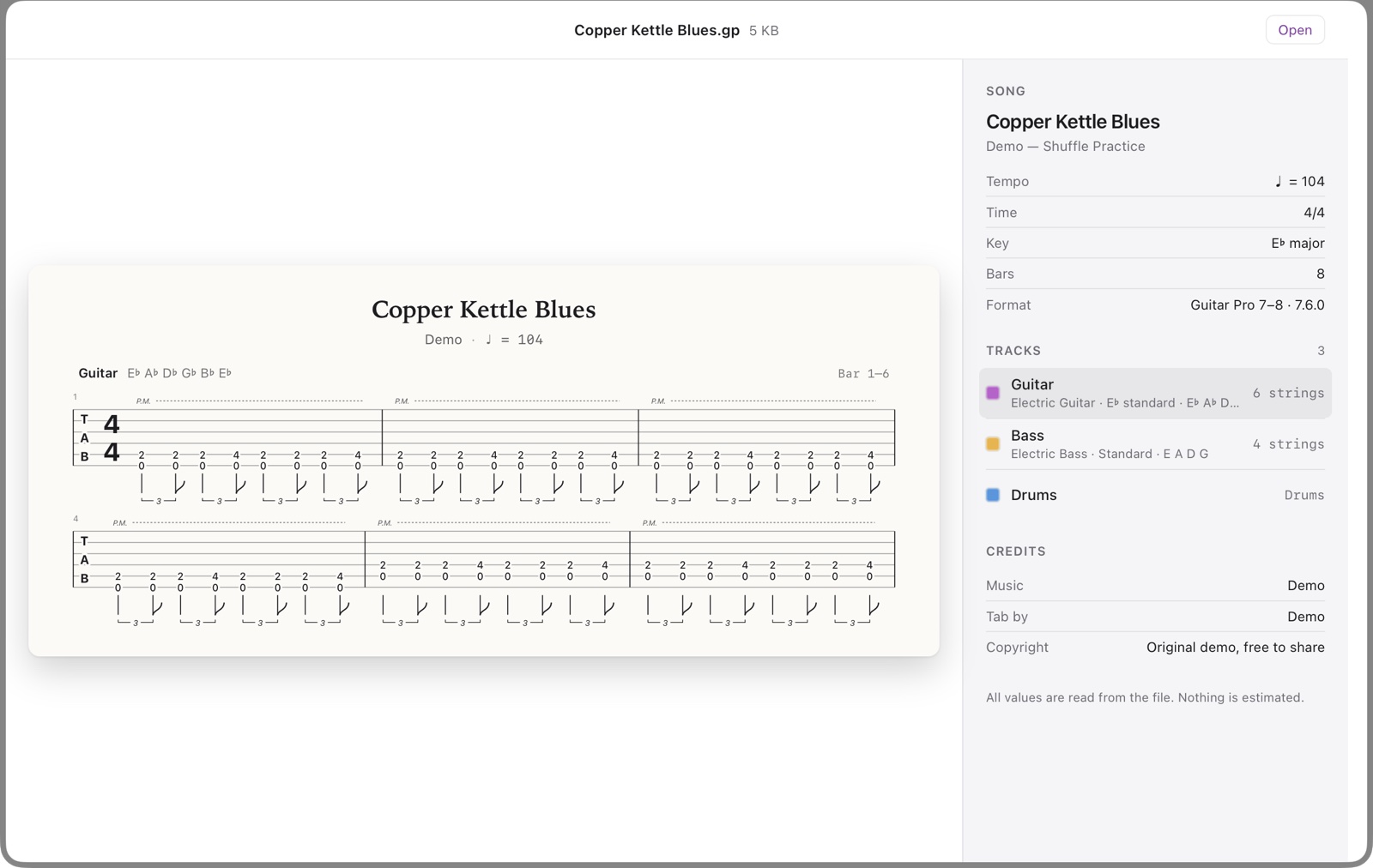
Quick Look. The first bars as real tablature: time signature, fret numbers, rhythm, ties, slides, hammer-ons, palm mutes, dead and ghost notes, harmonics and repeats. Next to it: title, artist, album, tempo, key, number of bars, credits and notices. Point at a track to switch the tab to that part: guitars, bass and drums.
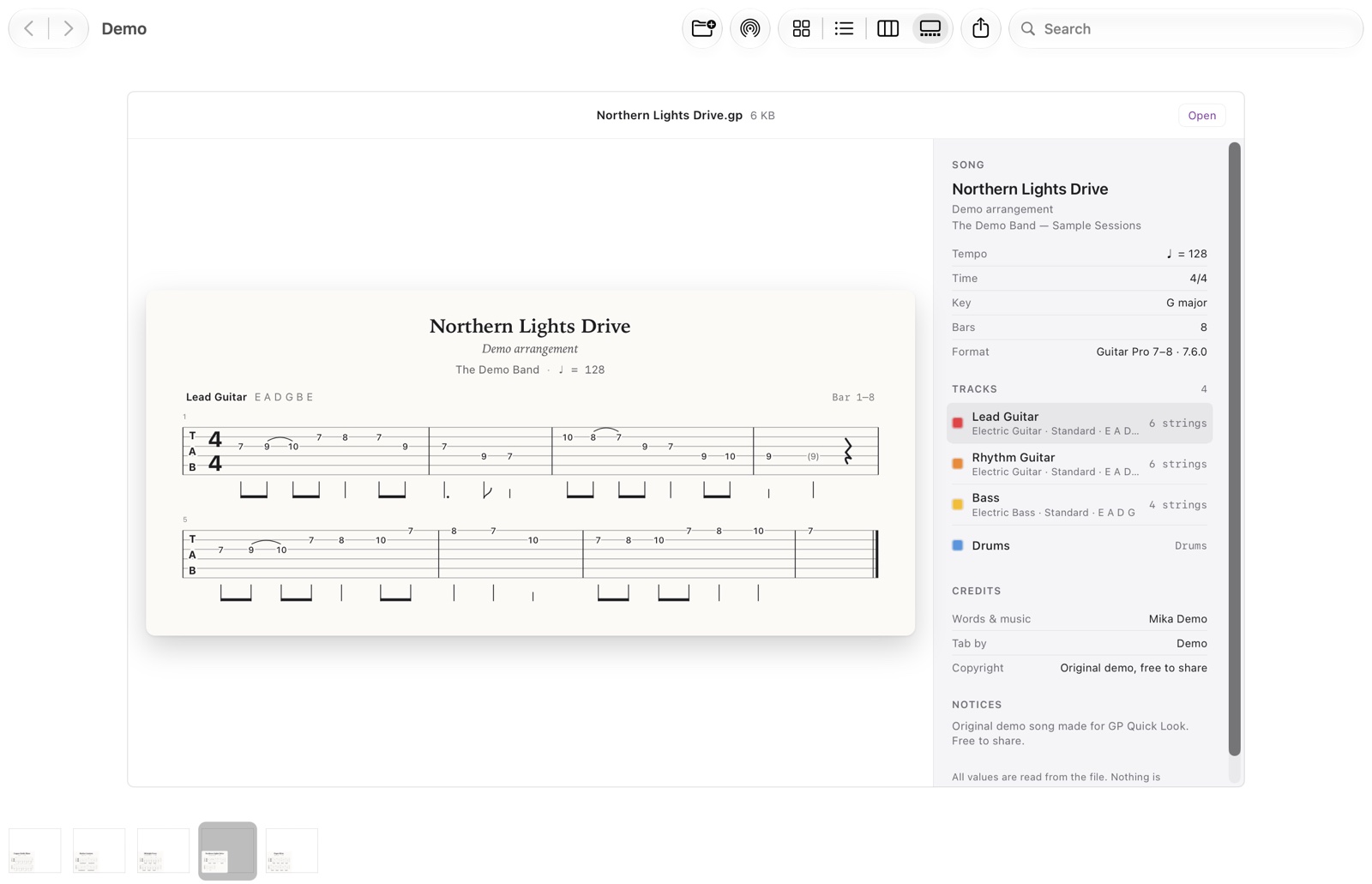
Thumbnails in Finder. Icon, list, column and gallery views show the title and the opening bars instead of a blank page.
Spotlight. Search for a song, an artist, an album, an instrument or a tuning like “Drop D”.
Quick Actions and Shortcuts. Export Preview Image saves the tab excerpt as a PNG, 2048 pixels wide, to Downloads › GP Previews. Copy Song Info copies the title, tempo, key and every track with its tuning as text.
All five formats. .gp (Guitar Pro 7 and 8), .gpx (Guitar Pro 6), .gp5, .gp4 and .gp3. Tested with 400 real files: 99 % of the files that contain Guitar Pro data read without errors. Files saved with “Lock edit” are encrypted by their author; the preview says so.
Every value comes from the file. The app doesn’t guess missing tunings, tempos or credits.
Setup
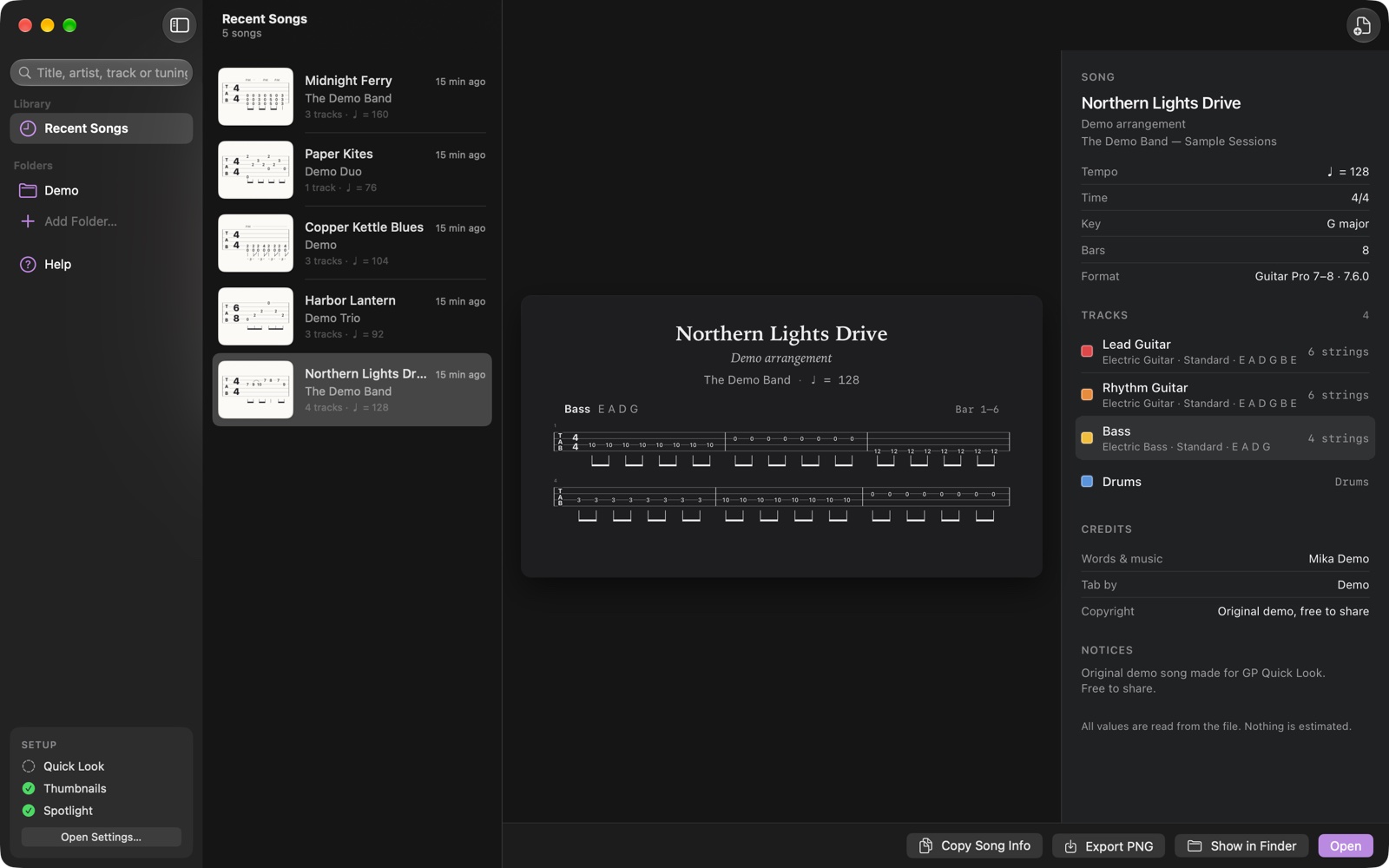
- Install GP Quick Look from the Mac App Store and open it once.
- Open System Settings › General › Login Items & Extensions › Quick Look and turn on both entries: GP Preview (Space bar) and GP Thumbnails (Finder icons). On macOS 14 the path is Privacy & Security › Extensions › Quick Look.
- Select a Guitar Pro file in Finder and press Space. No file at hand? Try the sample song.
For the Quick Actions, open the Shortcuts app, add Export Preview Image or Copy Song Info to a shortcut and turn on Use as Quick Action in its details.
Support
Some notes are missing from the tab
The preview draws the first voice of each bar. Grace notes and bends aren’t drawn yet. If a file looks wrong, please send it to me; every file helps.
A file says “locked”
Its author saved it with Guitar Pro’s “Lock edit” option, which encrypts the music. Only the author can unlock it.
Previews don’t update
Reset Quick Look in Terminal:
qlmanage -r
qlmanage -r cache
killall Finder
Refunds
Purchases go through Apple. Request a refund at reportaproblem.apple.com.
Contact
Email mika@kuusisto.tech. Include your macOS version and the file if you can share it. I usually reply within two working days.
Privacy: GP Quick Look privacy policy.
Also by me: LBRN Quick Look, C2D Quick Look and SKP Quick Look.